
To view all schedules, follow the steps given below.
1. Navigate to the Administration - > Notifications option in the Navigation Menu.
The Notifications page will be displayed.

2. Navigate to the Schedules tab.
The Schedules page will be displayed.
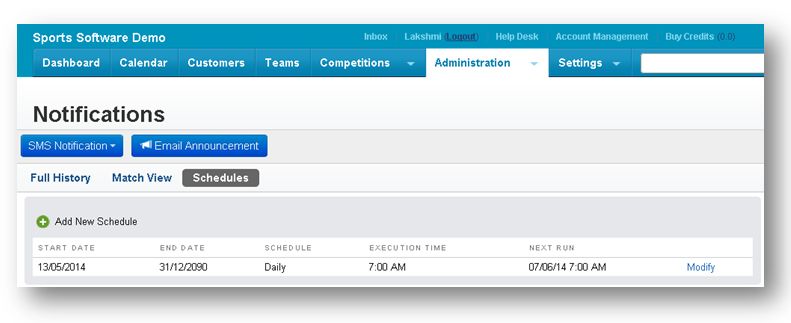
It has the following fields.
| Field | Description | Example |
| Start Date | Refers to the starting date of the match. | 13/05/2014 |
| End Date | Refers to the ending date of the match. | 31/12/2090 |
| Schedule | Refers to the frequency of schedule. | Daily |
| Execution Time | Refers to the execution time of the match. | 7:00 AM |
| Next Run | Refers to the next run date and time of the match. | 07/06/2014 |
| Action | Refers to the action specific to the match. | Modify |
From here, you can manage schedules. For more information, refer to the following sections.
Comments